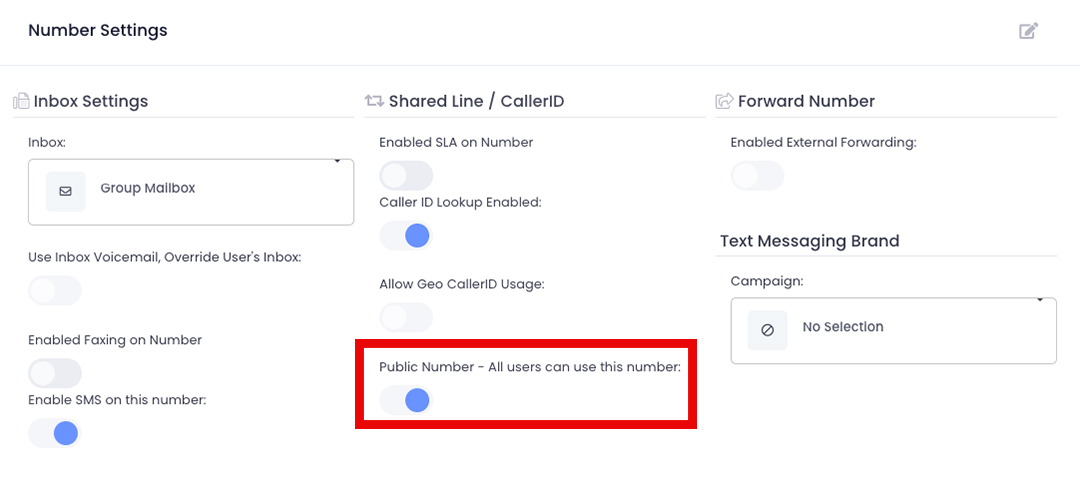
Making a number public allows any user in that location to make calls, send texts, or fax from that number if those features are enabled. To change which number you are using for outbound communication, click here.
- From the top toolbar, select Settings
- In the Voice category, select Numbers
- Select the phone number you wish to make public
- From the left pane, select Options
- Click the pencil and paper edit button in the top right corner of the
‘Number Settings’ pane - Toggle ON “Public Number – All users can use this number”
- Press Save