
From the Communicator
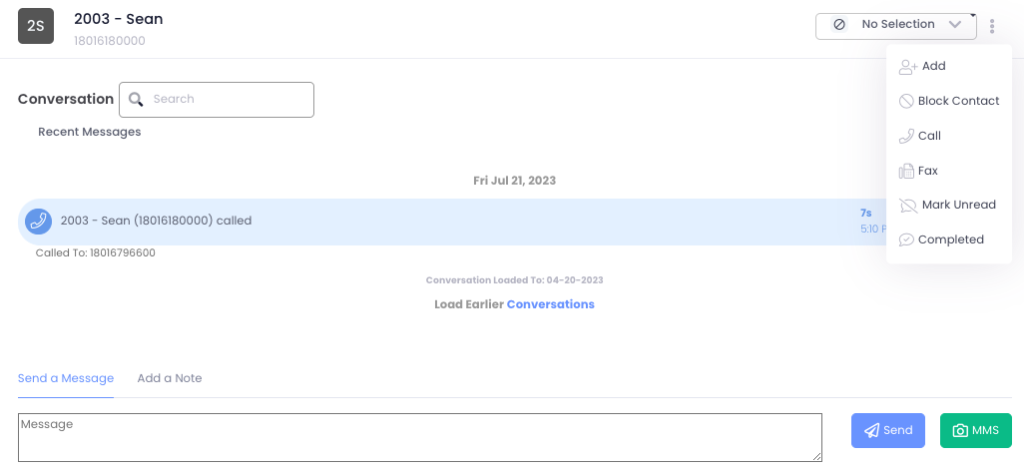
- Click on the vertical ellipses next to your outbound caller ID phone number drop down menu.
- Select the conversation of the person to block.
- Select ‘Block Contact’.
- On the new dialogue box, click OK once you have verified the phone number. This will add them to the “Blocked Numbers” list immediately.
Manual entry
- Navigate to Settings -> Account -> Location -> Spam/Blocking.
- On the “Blocked Numbers (If Call Blocking is Enabled” pane, click the blue +Add
- Enter in the phone number and select Save.
- This will immediately be added to the “Blocked Numbers” list.