- Please first reach out to AvidBit support with your request to add this feature. Please also have a message in mind that you would like to send out. E.g. ‘Thank you for your business with AvidBit. Please leave us a review at ‘link to write a review’. We do not need the link, but we do need your preferred message.
- Once AvidBit support has done the necessary configurations, they will ask you to authenticate this integration. Please navigate to Apps -> Integrations -> Google Reviews Integration and click the green ‘Authenticate Integration’ in the upper right corner.
- Once you have authenticated, please let AvidBit support know so they can move forward with putting in your custom message.
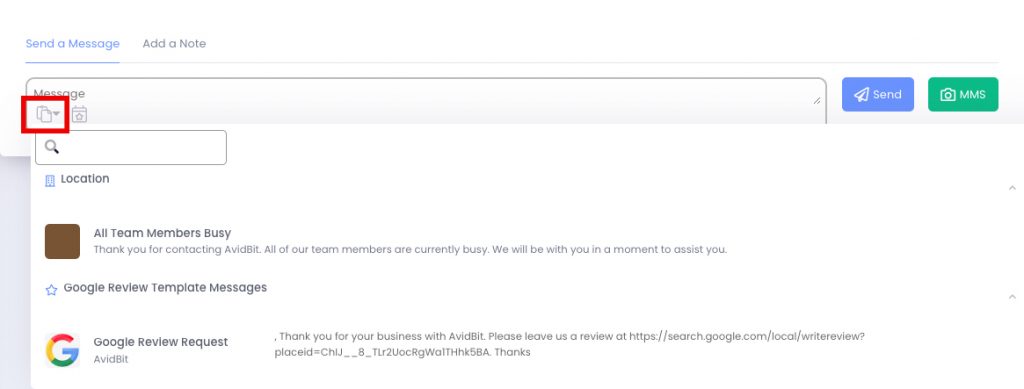
- Once AvidBit has finalized the message, you will be able to find the Google Review Request under templates in the Communicator message box. Please see the attached image for reference. Clicking on this will auto-populate your message field with the review.